Thursday, October 19, 2006

How to Decide What Kind of Blog to Write


I think that the best blogs have a specific topic. Think of your blog like a magazine. Magazines have a lot of articles about a lot of things, but there is usually one theme throughout. Your blog should have some kind of theme, even if that theme is that you are writing about your everyday life. What aspect(s) of your everyday life do you particularly want to write about: work, family, relationships, shopping, religion, food? It helps to have a focus.

The best way to decide what kind of blog is a fit for you is to read other blogs. BlogHer, where I am a Contributing Editor, is a great place to check out different types of blogs written by women.

They have 20+categories with 2 or more Contributing Editors writing in each category:
You can also check out their Blogrolls where women bloggers can list their blog. Once you've been writing on your blog for over a month, be sure to submit it to BlogHer.


How to Read Blogs

Dutch Blogger Joitske Hulsebosch, published a post on her blog, Communities of Practice for Development, yesterday that I thought I'd pass on about How to Read Blogs. It is a nice complement to my post, How to Choose a Feed Reader.

Joitske provides tips for tools for two kinds of blog readers:
* if you read blogs now and then.
* if you read blogs systematically and want to track any new post.

Even though I think feed readers are the easiest way to read blogs, you may find another way that is a better fit for you with some of the tools Joitske suggests.

Photo credit: Providence--She Was Using Her Mac by Julie 70.


Tuesday, October 17, 2006

How Artists Can Use Blogs

I have a client who is interested in how artists can use blogs. I've been doing a little research about it and thought I'd share some of the examples I've found:

* BlogHer has a whole list of women writing about art and design.
* Illustrator, Keri Smith has a great blog about the creative process called The Wish Jar.
* Collage artist, Claudine Hellmuth has a blog.
* Designer, Katey Nicosia, has a blog, One Good Bumblebee.
* The fun blog, Little People: A Tiny Street Art Project, is an art project unto itself.
* Another cool blog, On My Desk: Creative folk share the stuff on their desks, is just what it says, posts by artists with photos and descriptions of what they have on their desk and in their office.
* David Byrne, co-founder of the Talking Heads, who is also a visual artist, has incorporated a blog/journal into his web site.

Looking through these sites, I would say that some ways for artists to use blogs are:

* To discuss the creative process.
* To share their daily life with their fans.
* To create an online art piece
* To advertise events where they will be appearing
* To market and sell new work.
* To create an online community

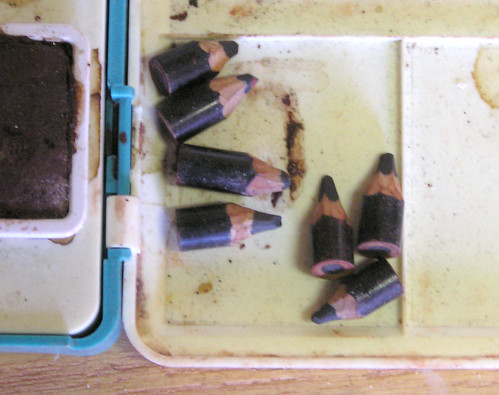
Photo Credit: Artist's Pencils by Anne Norman.


12 Ways to Get More Blog Readers

This is the question everyone is asking, especially the folks who are putting ads on their blogs. Copyblogger has written a post, How to Attract Links and Increase Web Traffic, that lists 50+ posts about blog marketing. Blogger also has an article in its help section, Promoting Your Blog, that has more information as well. Obviously there is a lot to say about this topic, but here is a quick list culled from some of the posts to get you started:

1. Link to other blogs in your posts and in your blogroll.
2. Comment on other blogs and respond to your readers' comments.
3. Ping blog search engines when you write a new post.
4. Tag your posts so that they are easy to find.
5. Write engaging first sentences, and snappy titles with keywords.
6. Include photos, or some kind of illustration with each post.
7. Post about current events, or better yet, break news.
8. Interview people related to your blog's topic.
9. Post lists, like this one! It helps if it has a number. One of my most popular posts is 10 Ways Nonprofits Can Use Blogs.
10. Post regularly. Whatever regularly means to you. It doesn't have to be everyday, but it shouldn't be once a month.
11. List your blog's URL in your email signature.
12. Write about what you care about. If you are excited about your topic your readers will probably get excited about it too.

Photo credit: Mild Winter Afternoon Reader by JimmyOK.


How to Get More Comments on Your Blog

Problogger has a great post about Ten Techniques to Get More Comments on Your Blog. Here is his list:


1. Invite Comments
2. Ask Questions
3. Be Open Ended
4. Interact with comments left
5. Set Boundaries
6. Be humble
7. Be gracious
8. Be controversial?
9. 'Reward' Comments
10. Make it Easy to Comment
Problogger always has lots of good tips for improving your blog. I highly recommend adding him to your feed reader.


How to Use a Blog Pinging Service

When I started writing for blogs and doing more work with computers, one of the words I started to hear a lot was, "ping," as in "Ping me when you write the post." After a while I figured out that it meant, let me know when the post is up.

Ping services do just that. They let search engines know that your blog has been updated. There are a lot of ping services out there. In the Publishing Settings of your Blogger blog, you can indicate that you want the service, Weblogs.com to be notified automatically when you post a new post. The blog search engine, Technorati allows you to "claim" your blog so that Technorati is automatically pinged when you write a new post. You can claim your blog by either giving Technorati your username and password, writing a post that includes some HTML code that Technorati gives to you, or by pasting the Technorati HTML code in your blog template. Technorati provides pretty clear instructions for how to do this, but always remember to PREVIEW changes you make to your template before you save them.

Other ping services like Pingoat and Ping-o-matic will ping multiple blog search engines for you. All you have to do is enter the name of your blog and its URL and hit enter.

It is a good idea to bookmark the ping services you are using and make it a habit to submit a ping to them everytime you write a new post so that blog search engine users will find you.


How to Start Your Blog Post

Copyblogger wrote a great post about 5 Simple Ways to Open Your Blog Post with a Bang that is totally worth checking out. Here is his list:

1. Ask a Question
2. Share an Anecdote or Quote
3. Invoke the Mind's Eye
4. Use an Analogy, Metaphor or Simile
5. Cite a Shocking Statistic

How to Choose a Blogging Tool

Obviously, I'm a fan of Blogger, just 'cause it is what I started with and it is free and easy to use. They are also making improvements and have released something called Blogger Beta, but I'm going to wait to switch over to it till they work the kinks out, but once they do Blogger will be even better!

There are a lot of great blogging tools out there and Tech Soup has published a great article, Seven Blogging Tools Reviewed where they review Blogger, LiveJournal, Typepad, Movable Type, WordPress, ExpressionEngine, and TextPattern. Reading the article will help you choose what is the best blogging tool for you.


How to Choose a Feed Reader

Although people can subscribe to blogs via email using programs like Feedblitz, many people read blogs and other news with something called a feed reader.

Frank Gruber published a review of nine feed readers:

* Attensa Online
* Bloglines
* FeedLounge
* Google Reader
* Gritwire
* News Alloy
* NewsGator Online
* Pluck Web Edition
* Rojo

in his March 30, 2006 Tech Crunch post, The State of Online Feed Readers that you might want to read to help you choose.

I'm a Bloglines fan myself. To use Bloglines, just set up an account and when you see a blog that you want to add to your Bloglines account, go to your Bloglines account and click on the tab that says, My Feeds. Click on the word Add. You will be prompted to enter the URL of the blog that you want to subscribe to. Click on subscribe. You may be asked to pick which feed for the blog you want to subscribe to. I always pick the one with the most subscribers.

Even easier, if you go to My Feeds and click on Add, you will see a link to add an "Easy Subscribe Button" above the box where you enter the blog's URL. Click on it. You will see directions to install a link to Bloglines on the toolbar of whatever web browser you use (Internet Explorer, Firefox, Safari, etc.). Once that button is installed on your toolbar, if you are reading a blog that you want to add to your Bloglines account, all you have to do is click on the link in your toolbar and it will automatically subscribe you.


How to Allow Your Readers to Subscribe by Email

Not everyone uses a feed reader like Bloglines to read blogs. I like putting Feedblitz on my blogs because it allows people to subscribe by email. (See the box in the right hand corner of this blog that says "Enter your email to subscribe"?) The version of Feedblitz's services that I use are free. All you have to do is set up an account and it will give you a piece of HTML code (don't get scared) to put in your blog's template. Copy the code and click on the "Template" tab in your Blogger account. You will see a page with lots of words and symbols on it. Scroll down until you see where it says:

End # main

Begin sidebar

Paste you Feedblitz code below this.

Now click on Preview to make sure everything looks OK. If it doesn't look right, hit "clear edits" and start again. If it looks normal hit, "Save template changes." As long as you always preview and clear edits if things look funky, you can't really hurt your blog.

P.S. You don't have to put your Feedblitz box there, I just like it there because it easy to see.


feedblitz